
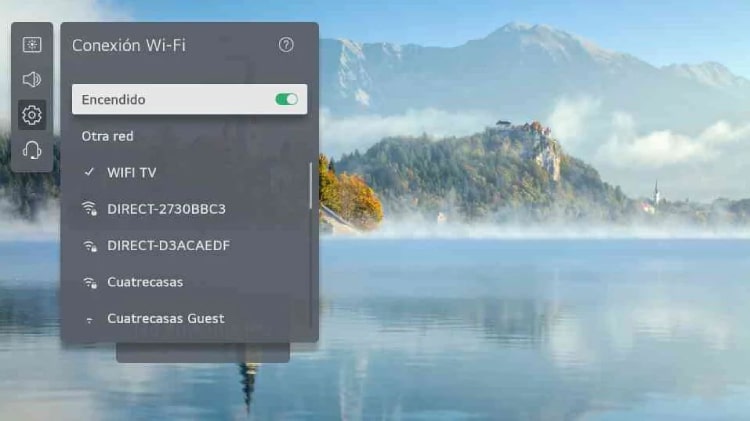
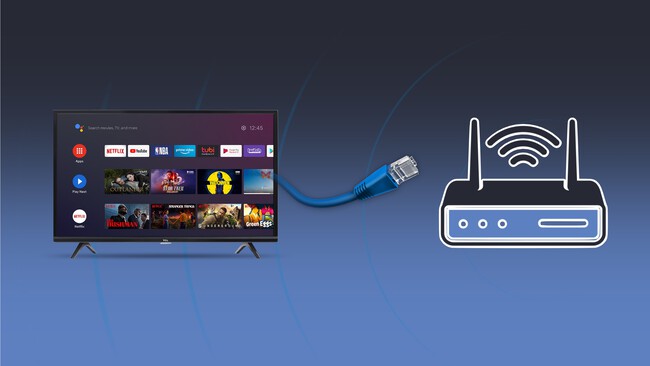
La mayoría de las televisiones actuales incorporan conectividad WiFi entre sus características. Sin embargo, si tienes un modelo antiguo, puede que no cuente con esta tecnología de manera nativa, lo que requerirá agregar un accesorio. Los pasos para conectar tu TV a WiFi varían dependiendo del modelo que tengas. En este artículo, exploraremos diversas opciones para que puedas disfrutar de una conexión a Internet en tu televisor, ya sea un Smart TV o un modelo más antiguo. Desde configuraciones básicas hasta dispositivos externos, aquí encontrarás todo lo que necesitas saber.
¡Ahora puedes mirar TV gratis con Flujo TV!
¿Para qué queremos WiFi en un televisor?
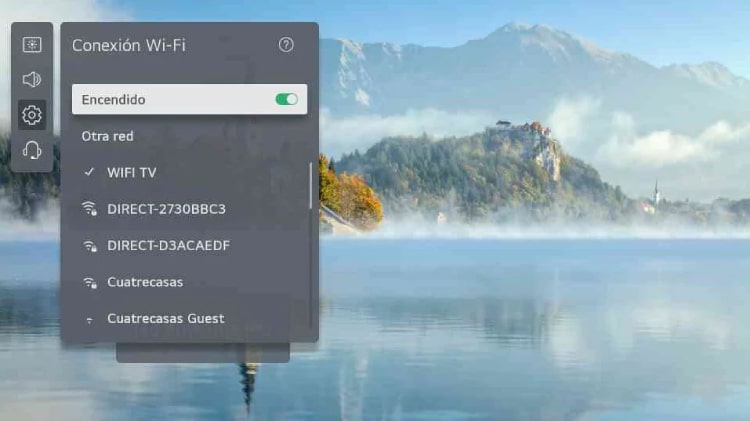
La conexión WiFi en un televisor es fundamental en la actualidad, ya que permite acceder a múltiples plataformas de streaming como Netflix, HBO, y YouTube. También puedes escuchar música en aplicaciones como Spotify, consultar redes sociales, duplicar la pantalla de tu móvil, jugar, y realizar videollamadas si trabajas desde casa. En definitiva, tener WiFi en tu televisor amplía enormemente sus funcionalidades.
¿Cómo saber si tu TV tiene WiFi?
Para saber si tu televisor tiene WiFi, puedes consultar el manual o buscar el modelo en Internet. Si dice "WiFi included" o "With WiFi", significa que tiene conexión. Si dice "WiFi Ready", necesitarás un dongle WiFi para conectarte. Además, puedes revisar los ajustes de red en tu televisor para comprobar si tiene la opción de conectarse a WiFi.
Televisión con WiFi
Si tu televisor es un Smart TV, conectar a WiFi es un proceso sencillo. Accede a la configuración, selecciona la opción de red, activa el WiFi y busca tu red doméstica. Introduce la contraseña y, una vez conectado, podrás disfrutar de todas las aplicaciones y servicios disponibles.
Conectar TV por marca
A continuación, se detallan los pasos para conectar televisores de diferentes marcas:
- Conectar TV Samsung: Accede a "Home", elige "Red", luego "Configuración de Red" y selecciona "Conexión a través de WiFi".
- Conectar TV LG: Entra en "Configuración", selecciona "Conexiones de red" y elige "Iniciar conexión".
- Conectar TV Sony: Abre el menú, selecciona "Ajustes" y busca "redes e Internet" para activar el WiFi.
- Conectar TV Xiaomi: Abre "Configuración", elige "red" y luego "abrir configuración de red".
- Conectar TV Philips: Accede al menú, revisa que el WiFi esté activado y selecciona tu red.
- Conectar TV Toshiba: Ve a "inicio", selecciona "configuración" y luego "red".
TV preparada para WiFi (WiFi Ready)
Si tu televisor es WiFi Ready, necesitarás un dongle WiFi compatible para conectarlo a Internet. Consulta la web del fabricante para encontrar el adaptador adecuado.
Televisiones sin WiFi
Si tu televisor no tiene WiFi, puedes utilizar dispositivos como Google Chromecast o Amazon Fire TV para conectarlo a Internet. Estos dispositivos se conectan al puerto HDMI y permiten acceder a aplicaciones y contenidos en línea.
Google Chromecast o Fire TV
Estos dispositivos son fáciles de instalar y ofrecen acceso a una variedad de servicios de streaming. Conéctalos a tu televisor y sigue las instrucciones para configurarlos. Son una excelente opción para convertir un televisor antiguo en una Smart TV.
Con consolas de última generación
Las consolas como PlayStation y Xbox también pueden proporcionar conexión a Internet a tu televisor. Simplemente conéctalas y accede a sus aplicaciones integradas para disfrutar de contenido en línea.
Otras opciones
Si buscas alternativas, puedes usar un Raspberry Pi, un PLC, o un adaptador WiFi para mejorar la conexión. También un proyector inteligente puede ser una opción interesante para acceder a Internet.
Problemas con el WiFi y posibles soluciones
Si tienes dificultades para conectarte a WiFi, verifica primero tu conexión a Internet. Reinicia el router y asegúrate de que estás introduciendo correctamente la contraseña. Si el problema persiste, considera resetear el televisor o la configuración de red.
Preguntas frecuentes
¿Cómo hacer para que mi televisor tenga WiFi?
Para que tu televisor tenga WiFi, verifica si tiene la función incorporada. Si es así, accede a la configuración, activa el WiFi e ingresa la contraseña de tu red. Si no la tiene, considera usar un dongle WiFi
